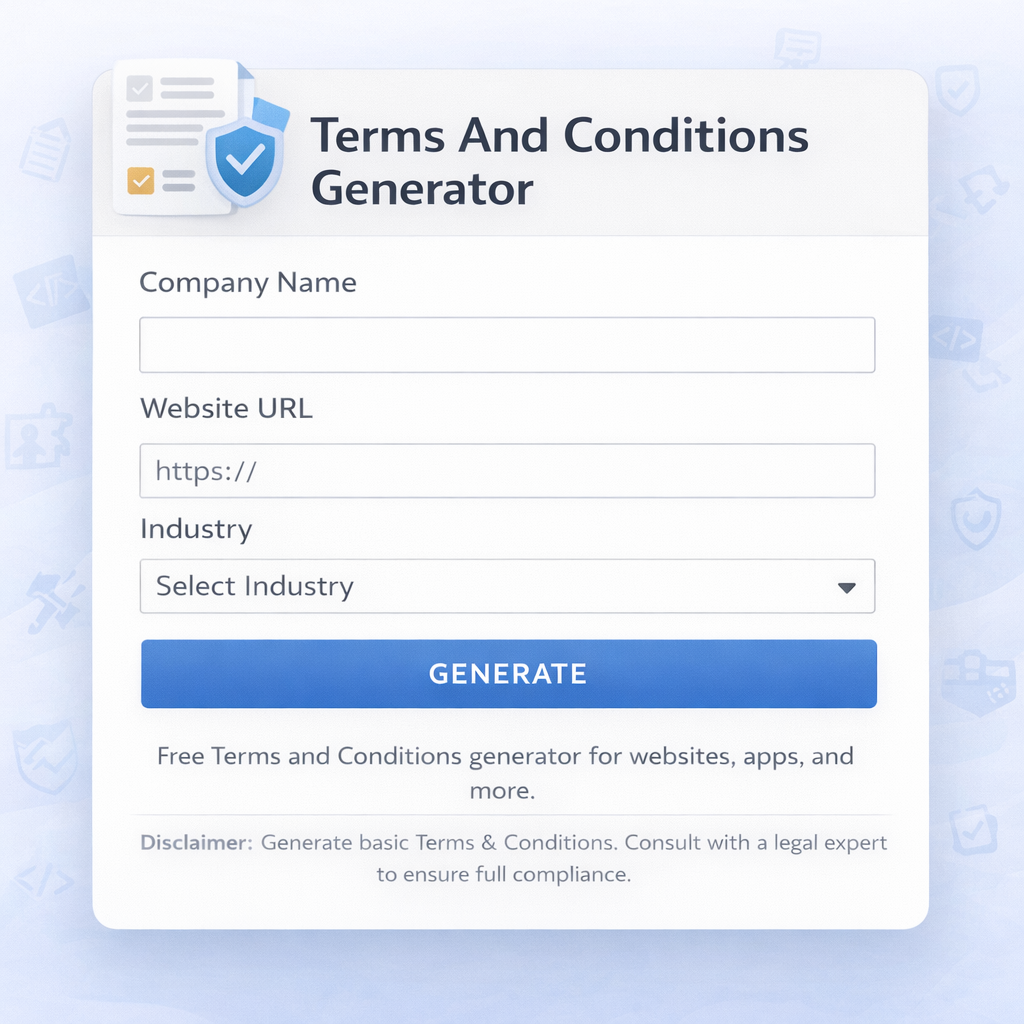
Terms and Conditions Generator
Let me tell you something that happens to almost everyone who starts a website or app. You build the thing, design looks good, products or content are ready, payment is connected… and then you reach the part where you need to add “Terms and Conditions”. Most people either copy-paste from someone else’s site or just skip it because writing it feels boring and scary.
A few months ago my friend was launching his small online store selling handmade bags. He had everything ready except the legal pages. He looked at me and said, “Bhai, what do I even write in Terms and Conditions? I don’t want to get into legal trouble later.” I showed him Skarry’s Terms and Conditions Generator. He answered a few simple questions, clicked generate, made a couple of small changes, and in less than 10 minutes he had a clean, professional-looking Terms and Conditions page ready to add to his site. He was genuinely relieved.
That’s the beauty of a good Terms and Conditions generator. It takes the hard work out of writing legal text while still giving you something solid and useful for your website or app.
Why Every Website or App Needs Terms and Conditions
Here’s the thing most people don’t realize — Terms and Conditions (T&C) are not just boring legal stuff you add because “everyone else has it”. They actually protect you and set clear rules for your users.
They explain what users can and cannot do on your site. They tell them how you handle refunds, cancellations, intellectual property, user data, and liability. For small businesses and bloggers, they can save you from unnecessary disputes or legal headaches later.
I’ve seen friends get into trouble because they didn’t have clear rules. One guy had someone copy his entire blog content and sell it as their own. Another had a customer demand a full refund after using the service for weeks. Proper T&C won’t solve every problem, but they give you a strong foundation to stand on.
In 2026, with more online businesses and stricter data privacy rules, having clear Terms and Conditions is no longer optional — it’s smart business practice.
What Makes a Good Terms and Conditions Page
A good T&C document should be:
- Clear and easy to understand (not full of complicated legal jargon)
- Cover the important topics relevant to your website or app
- Customized to your actual business (not just generic copy-paste)
- Regularly updated when your services change
The problem is that writing all this from scratch takes hours, and most people either skip it or copy someone else’s version (which can be risky).
This is where a tool like Skarry’s Terms and Conditions Generator becomes really useful.
How Skarry’s Terms and Conditions Generator Works
Skarry’s tool is surprisingly simple and practical. You go to the page, answer a few basic questions about your website or app (what kind of service you offer, whether you collect user data, if you have e-commerce, etc.), and the generator creates a complete Terms and Conditions draft for you.
You can then review it, make small edits if needed, and copy the final version to add to your website.
I like that it gives you sections like:
- Introduction
- User responsibilities
- Intellectual property
- Limitation of liability
- Refund and cancellation policy
- Privacy policy reference
- Governing law
It’s not a replacement for a real lawyer, but for most small websites, blogs, and startups, it creates a solid, professional starting point that covers the important bases.
Real Use Cases I’ve Seen
I’ve seen this tool used in many different situations.
My cousin used it when he launched his handmade soap selling website. He didn’t want to spend money on a lawyer for basic T&C, so he used the generator, made a few small changes to match his business, and added it to his site. It gave him peace of mind.
A friend who runs a small digital products store (e-books and courses) used it to clearly explain refund rules and usage rights. It helped him avoid several refund disputes later.
Even students building portfolio websites or personal blogs use it to look more professional. One of my juniors used it for his photography portfolio site and said it made the whole website feel more complete.
Step-by-Step: How to Create Your Terms and Conditions
Here’s how I usually do it:
- Go to Skarry.com and open the Terms and Conditions Generator.
- Select the type of website or app you have (blog, e-commerce, SaaS, portfolio, etc.).
- Answer the simple questions about your business — do you collect user data, do you sell physical products, do you have user-generated content, etc.
- Click Generate.
- Review the draft carefully. Read each section and make sure it matches your actual business practices.
- Edit any parts that need customization (especially refund policy, contact information, governing law).
- Copy the final version and add it to your website (usually as a footer link).
The whole process usually takes 10–15 minutes if you read carefully.
Common Mistakes People Make
I’ve seen these mistakes quite often:
- Copying someone else’s T&C word for word — this can cause legal issues because it may not match your actual business.
- Making the text too complicated and full of legal jargon — users won’t read it and it defeats the purpose.
- Not updating the T&C when your services or policies change.
- Adding the page but never linking it properly from the footer or checkout.
- Assuming “no one reads it anyway” — while many don’t, the ones who do (or lawyers in case of dispute) will notice if something is missing or wrong.
The generator helps you avoid most of these by giving you a solid, customizable template.
Pro Tips for Better Terms and Conditions
Here are some practical tips I’ve learned:
- Keep the language as simple as possible. Your users are not lawyers.
- Be honest and clear about what you actually do. Don’t promise things you can’t deliver.
- Always include a last updated date at the top.
- Link your Privacy Policy clearly if you collect any user data.
- For e-commerce sites, make the refund and return policy very clear.
- Review the document once every 6–12 months or whenever your business model changes.
Is This Tool Enough or Do You Still Need a Lawyer?
This is an important question. For most small websites, blogs, personal projects, and early-stage startups, Skarry’s generator creates a very good starting point that covers the basics. It’s much better than having nothing at all.
However, if you run a large business, handle sensitive user data, process payments, or have complex services, it’s always wise to have a real lawyer review the final document.
Think of the generator as a smart assistant that saves you time and gives you a professional foundation. The lawyer can then fine-tune it according to your specific situation.
Final Thoughts
Writing Terms and Conditions from scratch is boring, time-consuming, and a little scary if you’re not a lawyer. Skarry’s Terms and Conditions Generator makes the whole process simple, fast, and surprisingly stress-free.
It won’t replace a lawyer for big or complex businesses, but for most normal websites, blogs, and small online stores, it gives you a solid, professional document that protects you and sets clear expectations for your users.
If you’ve been putting off adding Terms and Conditions to your website because it felt too complicated, now is a good time to do it. Go to Skarry.com, open the Terms and Conditions Generator, answer the questions, and create your first draft.
You’ll be surprised how easy and useful it is.
Take that small step today — your future self (and your users) will thank you.