

HTML Decode Tool: How to Convert HTML Entities Back to Normal Text Free
Let me tell you a story that still makes me laugh (and get a little annoyed). A few weeks ago I was helping my cousin update his small business website. He had copied some product descriptions from an old email and pasted them into his site. When we published the page, instead of showing normal text like “50% Off – Limited Time”, it was showing “50% Off – Limited Time”. The & and – were showing up as raw code. The page looked broken and unprofessional.
I spent almost 20 minutes trying to fix it manually, replacing each & with & and so on. That’s when I remembered there’s a much easier way - an HTML Decode tool. I opened Skarry’s HTML Decode tool, pasted the messy text, and in one click everything became normal again. My cousin was shocked how fast it was.
That incident made me realise how often this problem happens. Whether you are a developer, a blogger, a student, or someone who copies content from different places, you will run into HTML entities at some point. And when you do, a good decode tool saves you a lot of headache.
What HTML Entities Actually Are
When you write normal text on the web, some characters have special meaning in HTML. For example, the “<” sign is used to start tags, the “>” sign ends them, and the “&” sign starts special codes. If you want to show these characters as normal text, you can’t just type them directly. You have to use special codes called HTML entities.
So instead of writing “<”, you write “<”. Instead of “>”, you write “>”. Instead of “&”, you write “&”. There are many more - for quotes, dashes, copyright symbols, and even special characters from other languages.
This system works well for computers, but when you copy text from one place to another, these codes often stay behind. That’s when you see weird & and and " appearing in your content. It looks messy and unprofessional.
Why You Need an HTML Decode Tool
Manually replacing every entity is boring and time-consuming, especially if you have a long article or many pages. One mistake and you might break the formatting or miss something.
A good HTML Decode tool does all the hard work for you in one click. You paste the messy text, and it converts all the entities back to normal characters - & becomes &, < becomes <, becomes a proper space, and so on.
Skarry’s HTML Decode tool is one I use regularly because it’s fast, clean, and completely free. No sign-up, no ads popping up, no limits on how much text you can decode at once. It just works.
Real Situations Where I Use This Tool
I use it almost every time I copy content from emails, Word documents, or old websites. Last month I was updating product descriptions for a friend’s online store. The descriptions had come from an old Excel file and were full of & and ". One click in the decoder and everything became normal readable text.
Bloggers face this problem a lot. When you copy an article from another site or from Google Docs, the quotes and special characters often turn into HTML entities. Decoding them before publishing saves you from ugly text on your blog.
Developers use it when they are working with user-generated content or when they receive data from different sources. Sometimes APIs return text with encoded entities, and you need to decode it before showing it to users.
Even students who are building their first websites run into this. They copy sample code or text from tutorials and suddenly see & everywhere. The decoder fixes it instantly.
How to Use Skarry’s HTML Decode Tool
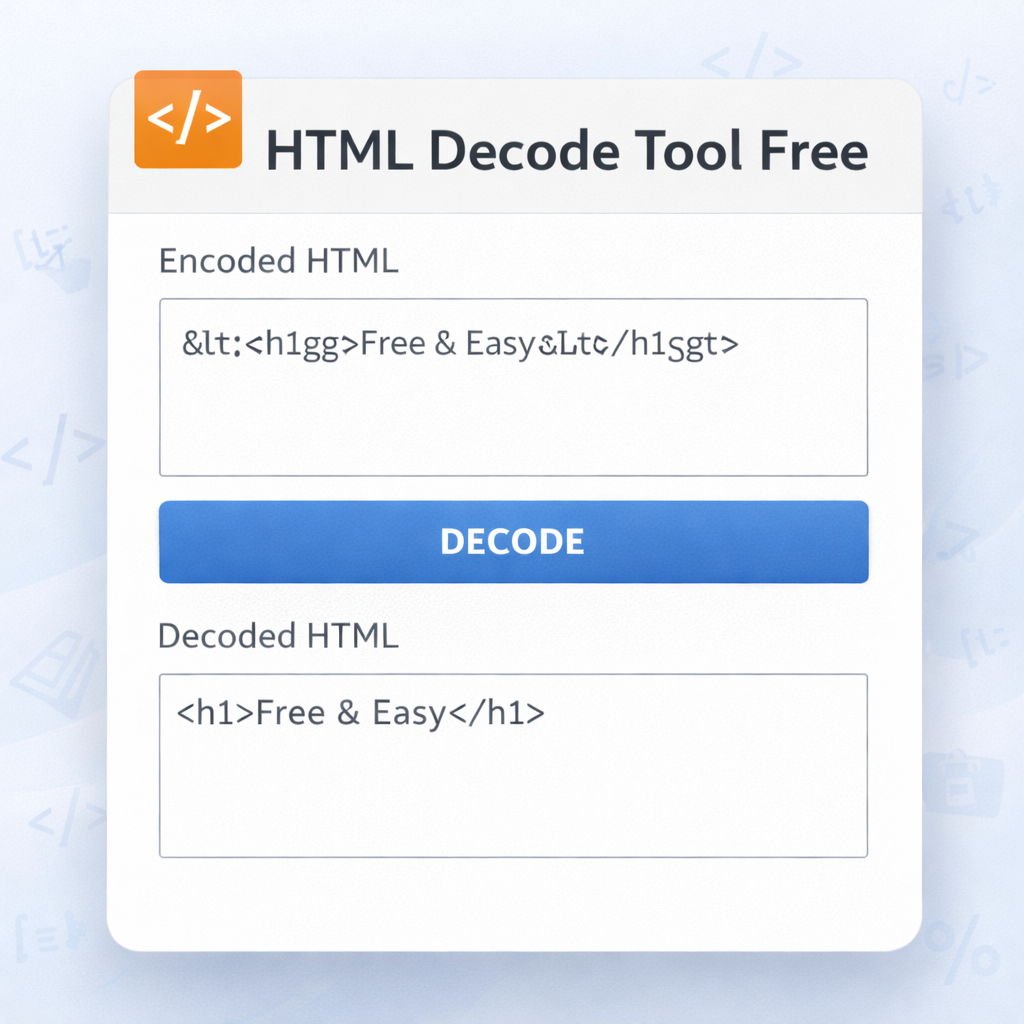
The process is very simple. You go to Skarry.com and open the HTML Decode tool. There are two boxes - one for input and one for output.
You paste your encoded text into the input box. Then you click the “Decode” button. Within a second, the output box shows the clean, normal text.
You can then copy the decoded text and use it wherever you need - in your website, blog post, document, or code.
I usually do it in two steps. First I paste and decode. Then I quickly read through the output to make sure everything looks correct. Sometimes there are nested entities or special cases, but Skarry’s tool handles most of them well.
Common HTML Entities You Will See
Here are some of the ones I encounter most often:
- & → &
- < → <
- > → >
- " → "
- ' → '
- → regular space
- © → ©
- ® → ®
- – → –
- - → -
There are hundreds more, but these are the ones that show up in everyday content.
When you see a lot of & and " in your text, that’s your sign that you need to decode it.
Tips I’ve Learned After Using It for a Long Time
Here are some practical things I do:
- Always decode before pasting content into your website or blog. It saves you from ugly text later.
- If you are working with a lot of content, decode in small batches so you can check the result easily.
- After decoding, quickly read through the text. Sometimes there are nested entities that need a second pass.
- If you are a developer, you can use the decoded text directly in your HTML or in your database.
- Keep the original encoded version saved somewhere in case you need to go back.
I also learned that some tools only decode basic entities. Skarry’s tool handles a wide range, including many special characters, which makes it more useful than some other free options I’ve tried.
Why This Tool Still Feels Important in 2026
Even in 2026, with all the advanced AI tools available, HTML entities continue to cause problems when moving text between different platforms. Emails, Word documents, Google Docs, old websites - they all use different ways of handling special characters. A simple, reliable decoder remains one of the most practical tools for anyone who works with content.
Skarry’s version is completely free, works instantly, and doesn’t ask for anything in return. That kind of honesty is rare these days and I really appreciate it.
For bloggers, small business owners, students, and developers, having a quick way to clean up encoded text saves time and makes your work look more professional.
Final Thoughts
HTML Decode might sound like a small technical thing, but once you start dealing with content from different sources, you realise how useful it is. Instead of spending minutes or hours manually fixing & and ", you can fix everything in one click.
If you have ever seen weird codes appearing in your text and felt frustrated, give Skarry’s HTML Decode tool a try. Go to Skarry.com, open the tool, paste your messy text, and see how clean it becomes.
You don’t need to be a programmer to use it. You don’t need to understand what each entity means. You just paste and click. The tool does the rest.
I wish I had known about this tool earlier. It would have saved me so many frustrating moments. Now it’s part of my regular workflow whenever I work with text from different places.
Next time you copy something and see & and " everywhere, don’t struggle. Just use the decoder. It takes almost no time and makes your content look clean and professional again.
Popular Tools
Recent Posts


.png)
